Reflex for Restaurants · Early access
See which tables are free, taken, or waiting to be reset
Reflex watches the dining-room cameras you already have and keeps a live floor plan of every table it can see. When guests leave, your staff gets the clip and confirms the table is ready.
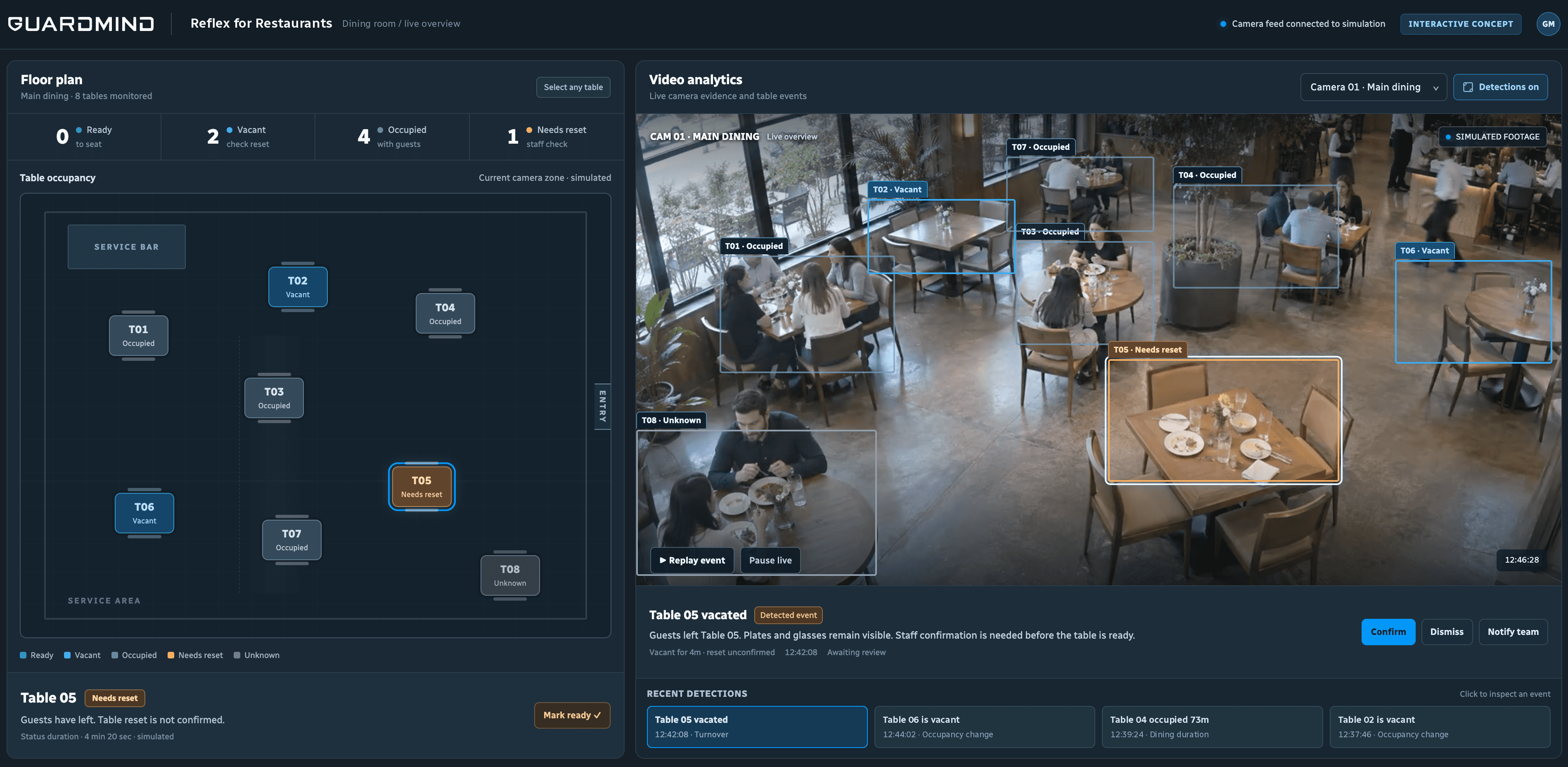
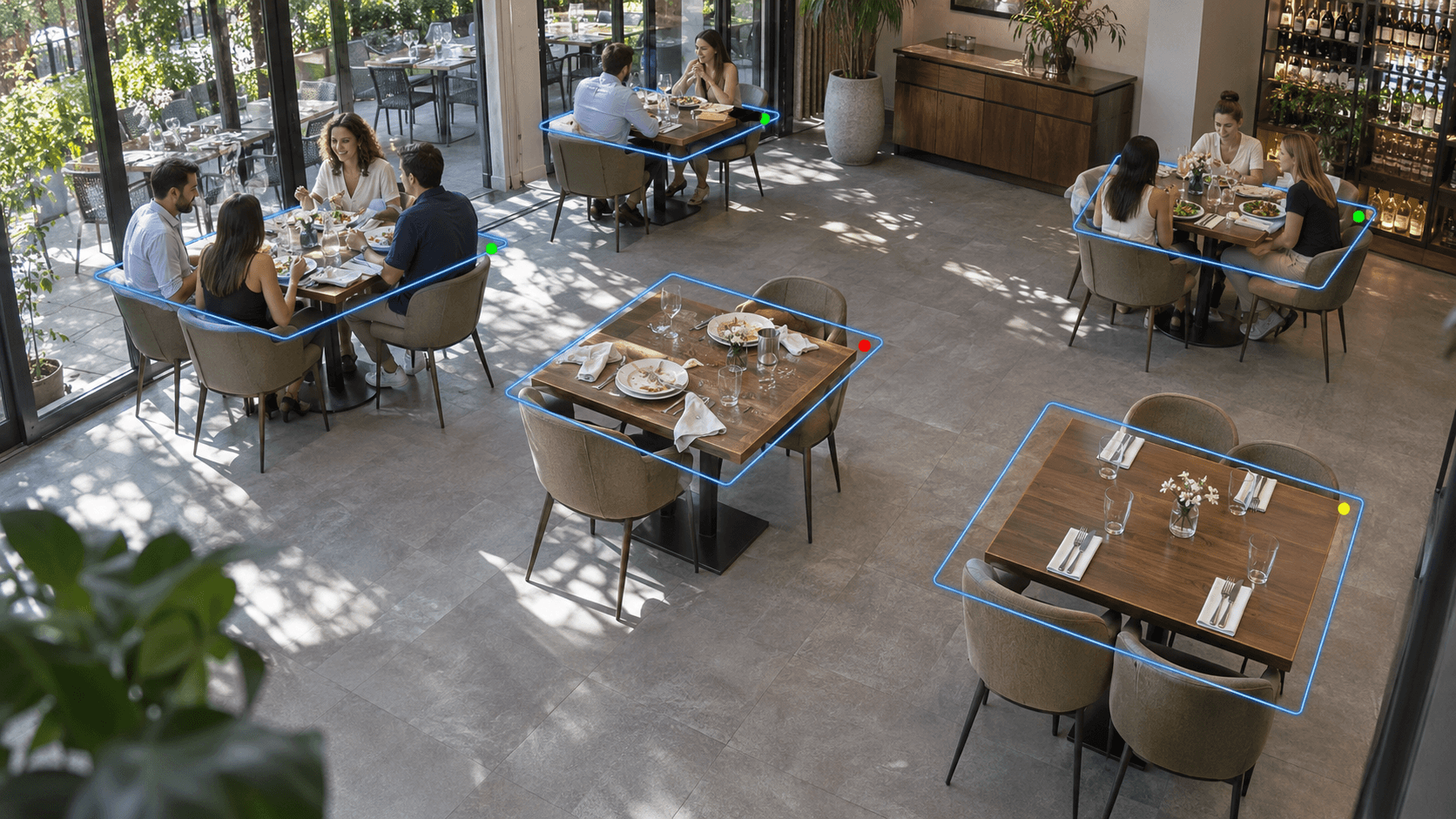 Simulated footage
Example scenario
A table waiting to be reset
Guests have left and the table still needs clearing. Staff get the clip and confirm when it is ready.
How it works
Connect your cameras
Reflex works with your existing IP cameras over RTSP. We set up the tables and zones with you.
Reflex marks each table
Occupied, vacant or needs reset, with the clip and the time it changed.
Your staff confirms
A table becomes ready only when someone on your team confirms it.
Five states, not two
Occupied
Guests are seated.
Vacant
Guests have left.
Needs reset
Plates or glasses are still on the table.
Ready
Confirmed by your staff.
Unknown
The table is blocked from view. Reflex says so instead of guessing.
Early access
Early access is open to a small number of restaurants. Tell us about your dining room and cameras, and we'll check whether Reflex can see your tables.
Questions
Do I need new cameras?
No. Reflex works with existing IP cameras that can stream over RTSP. Each table needs to be visible to a camera.
Does Reflex recognize faces?
No. Reflex looks at tables, not at who sits at them.
Does it connect to my POS or reservations?
Not today. Reflex shows table status from video; your team stays in control of seating.
What happens when a table is hidden?
Reflex marks it Unknown until the view is clear.